
Benefits of Mobile Devices: 7 Ways to Boost Productivity
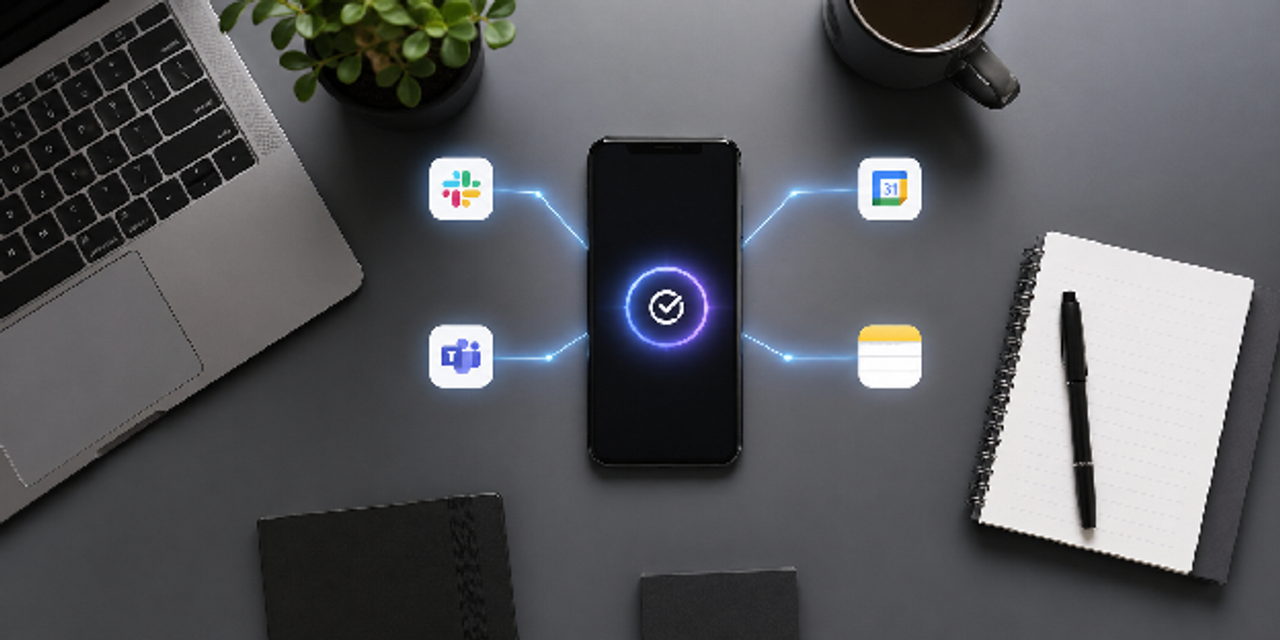
Maximize Your Output: 7 Productivity Benefits of Mobile Devices You’re Overlooking
You probably think your phone distracts you more than it helps, but that assumption is costing you output. The productivity benefits of mobile devices are often misunderstood or underused. They give you instant access to information, automate repetitive work, enable real-time collaboration, and help you manage tasks from anywhere.
But here’s the problem. Most people use mobile devices passively instead of strategically. That gap between usage and intentional use is where productivity is lost. If you’re only checking messages or browsing apps, you’re barely scratching the surface of what’s possible.
This guide flips that mindset. You’ll discover seven overlooked ways mobile devices drive measurable output, plus how to apply them immediately. By the end, you’ll know how to turn your device into a focused, high-performance productivity tool.
Key Takeaways
- Instant access: Act on information immediately because delays, not difficulty, are what slow execution.
- Automation: Eliminate repetitive tasks because mental clutter reduces focus and decision quality.
- Real-time collaboration: Use fast feedback loops because communication lag creates hidden bottlenecks.
- Task management: Capture and organize tasks instantly because missed inputs lead to missed deadlines.
- Mobility: Use idle time deliberately because unplanned flexibility results in inconsistent output.
1. Instant Access to Information: The Foundation of Mobile Productivity Benefits
When speed matters, access becomes your competitive advantage. One of the most powerful benefits of mobile productivity is the ability to retrieve and act on information instantly. You no longer depend on location or device constraints to move work forward.
How Instant Access Removes Workflow Delays
Delays often come from waiting rather than task difficulty. Mobile devices reduce this waiting by keeping important data within reach at all times. As a result, work continues smoothly, and decisions happen without unnecessary pauses.
Here are the most common ways instant access reduces friction in daily work:
- Access cloud files anytime
- Retrieve meeting notes instantly
- Search internal systems on demand
- Use voice assistants for quick answers
- Sync updates across all devices
Eliminating delays leads to faster, more consistent execution.
Practical Ways to Leverage Real-Time Information
Access alone does not improve results without proper use. You need to act on information as soon as it appears to support your next step. This habit keeps your work accurate and reduces reliance on memory.
Use the workflow below to turn access into action:
- Open documents during live discussions
- Capture ideas the moment they appear
- Update files immediately after changes
- Use search tools instead of memory
- Review key data before decisions
Immediate application turns access into measurable productivity.
2. Automation: How Smartphones Improve Productivity Without Extra Effort
Repetition drains both time and focus. This is where how smartphones improve productivity becomes obvious through automation. Mobile apps now handle routine tasks so you can focus on work that actually moves the needle.
How Automation Reduces Cognitive Load
Repetitive tasks take up mental space and slow your thinking over time. Automation removes these tasks, which helps you focus on more important work. From there, your decisions become clearer and easier to make.
Below are key ways automation reduces cognitive load in your workflow:
- Auto-sort emails and messages
- Trigger reminders based on actions
- Sync data across platforms
- Automate follow-ups and responses
- Schedule recurring tasks
Less mental clutter leads to clearer and faster decision-making.
Step-By-Step Workflow to Automate Daily Tasks
Automation only works when you apply it through a clear system. Without structure, tools can create confusion instead of saving time. A simple process helps you stay consistent and improve results over time.
Follow these steps to implement automation effectively:
- Identify repetitive daily actions
- Choose apps with automation features
- Connect tools like email and calendar
- Set triggers and conditions
- Test and refine weekly
Structured automation compounds productivity gains over time.

3. Real-Time Collaboration: Advantages of Using Mobile Devices for Work
Collaboration delays are silent productivity killers. The advantages of using mobile devices for work include instant communication and shared workflows that keep teams aligned without friction.
Why Real-Time Collaboration Improves Output
Slow communication often causes work to stop or move unevenly. Real-time tools remove these gaps by allowing quick responses and updates. This keeps tasks moving forward and reduces confusion between team members.
The table below highlights how collaboration features impact productivity:
| Feature | Benefit | Productivity Impact |
|---|---|---|
| Live editing | Instant updates | Faster turnaround |
| Messaging apps | Quick responses | Reduced delays |
| Video calls | Clear communication | Better decisions |
| Shared boards | Visibility | Strong accountability |
Faster feedback loops lead to faster project completion.
Tools and Practices for Seamless Collaboration
Effective teamwork does not happen just because tools are available. You need clear rules and shared systems to guide how work gets done. With this structure in place, you stay aligned and avoid unnecessary delays.
Use the following practices to improve collaboration outcomes:
- Use shared documents instead of attachments
- Set clear response expectations
- Keep communication centralized
- Track tasks in shared systems
- Limit unnecessary meetings
Structured collaboration prevents confusion and wasted time.
4. Task Management: How to Increase Productivity with Mobile Apps
Untracked tasks lead to missed priorities. You can increase productivity with mobile apps by capturing and organizing work the moment it appears. This removes mental clutter and improves execution.
Why Mobile Task Management Works Better
Missed tasks often happen when tracking is delayed or forgotten. Mobile tools let you record tasks instantly, which keeps your workload clear. This helps you stay organized and complete work on time.
The list below shows how mobile task management improves execution:
- Capture tasks instantly
- Set reminders within seconds
- Break work into smaller steps
- Track progress visually
- Sync across all devices
Immediate task capture prevents overload and missed deadlines.
Best Workflow for Managing Tasks on Mobile
A clear system helps you manage tasks without confusion or delay. Without structure, tasks become scattered and harder to complete. Simple steps keep your workflow organized and easy to follow.
Follow this workflow to manage tasks efficiently:
- Capture tasks as they arise
- Categorize by priority and type
- Assign deadlines immediately
- Review tasks daily
- Adjust based on progress
A simple system ensures consistent task execution.
5. Mobility and Flexibility: Mobile Technology for Efficiency Anywhere
Traditional productivity depends on fixed environments. Mobile technology for efficiency removes that limitation and allows you to work wherever you are without losing momentum.
How Mobility Transforms Unused Time Into Output
Gaps in your day often go unnoticed, yet they still contain usable time. Mobile devices let you turn those short windows into meaningful progress on small tasks. Productivity rises without adding extra hours to your schedule.
Here are practical ways mobility converts idle time into productivity:
- Work during commutes
- Handle quick tasks while waiting
- Review documents between meetings
- Respond to messages instantly
- Capture ideas on the go
Small time blocks accumulate into significant productivity gains.
Workflow to Maximize Flexible Productivity
Flexibility without structure creates inconsistency in your workflow, so you end up reacting instead of progressing. You need clear boundaries and simple planning to keep your time under control and your output steady. Strong results come when you deliberately decide how each time block is used, rather than letting the day decide for you.
Use this workflow to maximize flexible productivity:
- Identify idle time slots
- Assign lightweight tasks
- Use mobile-friendly tools
- Set limits to avoid burnout
- Evaluate weekly output
Planned flexibility leads to sustainable productivity.

6. Smart Notifications: Turning Distractions Into Focus Tools
Notifications are often misused, but they are one of the most underrated mobile productivity benefits when optimized correctly. The key is control, not elimination.
How to Prioritize with Smart Notifications
Not all alerts deserve your attention. Filtering notifications helps you separate urgent signals from background noise. Focus stays stronger when only relevant updates reach you, instead of constant interruptions pulling your attention away.
The table below outlines how to optimize different notification types:
| Notification Type | Purpose | Best Practice |
|---|---|---|
| Task alerts | Track deadlines | Keep only critical |
| Email alerts | Monitor communication | Filter priority senders |
| App updates | Workflow tracking | Disable unnecessary |
| Calendar alerts | Schedule control | Add buffer time |
Fewer, smarter notifications improve focus and clarity.
Best Practices to Avoid Notification Overload
Uncontrolled notifications create constant noise that pulls your attention in many directions and slows your work. Clear limits allow you to decide what actually deserves attention and what does not. With tighter control, focus stays steady, and your workflow continues without unnecessary interruption.
Apply the following practices to reduce notification overload:
- Disable non-essential apps
- Group notifications by priority
- Use scheduled focus modes
- Limit real-time alerts
- Review settings regularly
Intentional control prevents distraction and improves output.
7. Data Tracking and Insights: The Strategic Edge of Mobile Productivity
Guesswork limits improvement. One of the most overlooked mobile productivity benefits is access to real-time data that guides smarter decisions and better workflows.
How Data Improves Decision-Making
Decisions become stronger when they rely on clear and current data instead of guesswork. Mobile tools give you quick access to performance insights and trends, so you can see what is actually working. With that visibility, you can adjust your work approach with confidence and avoid repeating ineffective patterns.
The list below highlights how data strengthens decision-making:
- Track time spent on tasks
- Monitor key performance indicators
- Analyze productivity patterns
- Identify inefficiencies quickly
- Adjust workflows based on insights
Measured performance is easier to improve than assumed performance.
Tools and Methods for Tracking Productivity
Tracking systems work best when they stay simple and easy to maintain over time. Overly complex setups usually fail because they demand constant effort and break consistency. Therefore, a steady and repeatable method allows you to review your performance clearly and improve it without confusion.
Follow this method to track productivity effectively:
- Use dashboards for real-time metrics
- Track daily and weekly performance
- Review trends regularly
- Adjust based on findings
- Repeat the process consistently
Consistent tracking leads to continuous productivity improvement.
Summary of Productivity Benefits of Mobile Devices
| Benefit | Core Advantage | Result |
|---|---|---|
| Instant access | No delays in information retrieval | Faster decisions |
| Automation | Reduced manual work | Time savings |
| Collaboration | Real-time communication | Faster execution |
| Task management | Easy tracking | Better completion rates |
| Mobility | Flexible work options | More productive time |
| Smart notifications | Better prioritization | Improved focus |
| Data insights | Performance tracking | Smarter decisions |
Conclusion
The real value of the productivity benefits of mobile devices is not convenience, but control over how work gets done. When used intentionally, mobile devices help you reduce delays, focus better, and produce more consistent output.
You now shift from reacting to tasks toward managing work with clearer systems. Instead of relying on scattered effort, your productivity becomes structured and measurable.
Start by reviewing how you currently use your mobile device and remove anything that does not support output. Then rebuild your setup around speed, focus, and simplicity so every action serves a purpose.
Frequently Asked Questions
How do mobile devices improve productivity in the workplace?
Mobile devices enable real-time communication, quick access to data, and flexible work environments, which reduce delays and increase efficiency.
What are the main mobile productivity benefits?
The key benefits include automation, mobility, task management, collaboration, and access to real-time insights.
Can smartphones replace laptops for productivity?
For many tasks like communication, task management, and light workflows, smartphones can replace laptops, but complex work may still require desktops.
How can I increase productivity with mobile apps?
Focus on integrating a few essential apps, automating repetitive tasks, and managing notifications to reduce distractions.
Are mobile devices more distracting than productive?
They can be both. Without proper setup, they distract. With intentional use, they significantly boost productivity.
What is the best way to manage notifications for productivity?
Disable non-essential alerts, prioritize critical notifications, and schedule focused work periods without interruptions.
How does mobile technology improve efficiency for remote work?
It allows seamless communication, instant access to tools, and the ability to work from anywhere without losing productivity.