
How to Use Your Phone for Deep Work: 5 Surprising Psychological Hacks
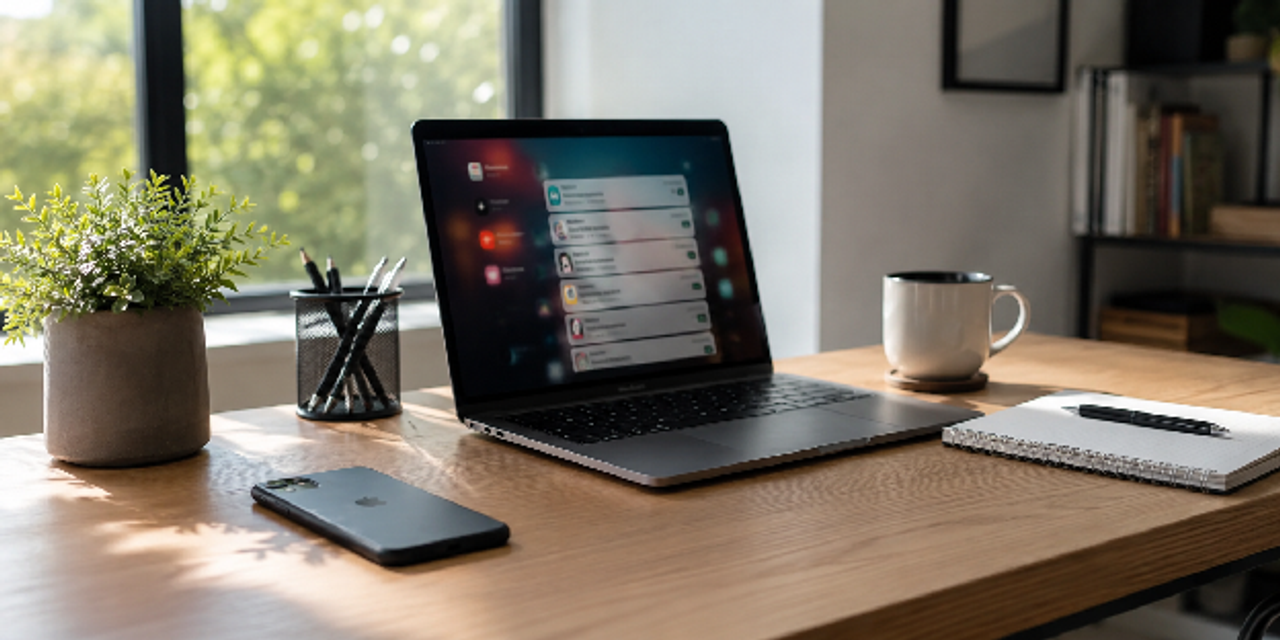
Your phone can either destroy your focus or become your strongest tool for deep work. You can use your phone for deep work by reducing distractions, controlling dopamine triggers, using focus mode strategically, and building intentional habits. However, most people never configure their devices to support concentration.
That matters because constant notifications create attention residue and increase your cognitive switching cost throughout the day. As a result, even short interruptions weaken your ability to think clearly and work deeply. Meanwhile, digital minimalism helps you regain control without abandoning technology completely.
In this guide, you’ll learn five psychological hacks that transform your phone into a focus-friendly productivity system. You’ll also discover practical phone productivity hacks, smarter notification settings, and sustainable strategies for reducing distractions daily.
Key Takeaways
- Cognitive switching cost: Switching and notifications break focus, so simplifying your phone helps sustain attention longer.
- Dopamine control: Reward loops drive distraction, so reducing stimulation like infinite scroll and using grayscale limits compulsive checking.
- Focus mode optimization: Focus mode is a system, so structured profiles and minimal notifications stabilize attention.
- Digital minimalism: Too many apps create clutter, so keeping only essential tools improves clarity and speed.
- Attention reconditioning: Rituals and delayed rewards build habits, so your phone reinforces focus instead of distraction.
Hack #1: Use Your Phone for Deep Work by Controlling Cognitive Switching Cost
When you try to do deep work on your phone, the real problem is not time; it is interruption-driven focus loss. Every switch between apps increases cognitive switching cost, which quietly drains your mental energy and weakens concentration. Over time, this reduces your ability to stay in flow and consistently focus on meaningful work using your phone.
So, to fix this, you need to reduce switching friction in practice by applying a few targeted adjustments.
Create a Single-Purpose Work Screen
Your home screen determines what your brain treats as immediately available for action. When it is cluttered, your attention constantly splits between competing intentions and weakens focus.
A single-purpose layout reduces hesitation and supports smartphone productivity tips that actually stick, so you need a few simple adjustments to simplify your screen:
- Keep only work-related apps visible
- Remove social and entertainment apps from the home screen
- Use folders for everything non-essential
- Place productivity tools on the first page only
- Disable visual badges and red notification dots
Batch Communication to Reduce Attention Fragmentation
Constant messaging creates shallow thinking because your brain never fully disconnects from ongoing conversation loops. This leads to attention residue, where previous tasks linger mentally and reduce the quality of your current focus.
Therefore, you need a structured approach to communication that minimizes fragmentation, which you can implement through a simple workflow below:
- Set fixed communication windows (2–3 times daily)
- Turn off all non-essential notifications
- Respond to messages only during those windows
- Use silent mode during deep work sessions
- Return to tasks without multitasking after replies
Use Timers to Stabilize Deep Work Sessions
Timers reduce decision fatigue because they remove the need to constantly decide when to stop. This supports sustained deep workflow while making it easier for you to resist phone distractions during focused sessions.
Stepping forward, you need a structured timing approach that reinforces consistency, which can be implemented through the practical list below:
- Use 45–60 minute focus blocks for complex tasks
- Use 25-minute intervals for lighter tasks
- Keep your phone on silent during sessions
- Avoid checking the time manually
- Track completed focus sessions daily
Hack #2: Reduce Phone Distractions With Dopamine Control
Most distraction problems come from reward loops, not a lack of discipline or willpower. Your phone constantly trains your brain through high-frequency stimulation, which builds dependency on novelty and quick hits of reward. This is why dopamine detox strategies help reset attention patterns and restore control over focus.
To apply this effectively, you need to break down specific stimulation sources and rebuild your phone environment step by step.
Enable Grayscale to Reduce Visual Stimulation
Color is one of the strongest triggers for engagement because it constantly pulls your attention toward app interaction. Removing it reduces emotional stimulation and lowers compulsive checking behavior, especially during idle moments.
A clearer comparison of how visual modes affect attention can help you decide when to enable grayscale, as shown in the table below:
| Setting | Effect on Attention |
|---|---|
| Full color mode | High stimulation, frequent checking |
| Grayscale mode | Reduced engagement, fewer impulses |
Remove Infinite-Scroll Triggers
Infinite feeds are engineered to remove natural stopping points, making them one of the strongest drivers of distraction. This design pattern increases notification fatigue and steadily weakens your ability to maintain focus and stability.
Breaking these loops requires a deliberate removal strategy, which you can apply through the simple workflow below:
- Identify infinite-scroll apps
- Remove them from your phone
- Use desktop access only if needed
- Log out after each session
- Reinstall only if strictly necessary
Replace Stimulation With Recovery Habits
Deep work requires recovery, but not stimulation disguised as rest. Many people unintentionally increase cognitive load during breaks instead of allowing the brain to truly reset.
Shifting toward better recovery habits requires intentional low-stimulation choices, and the practices below show how to structure those breaks effectively:
- Walk without your phone
- Stretch or move lightly
- Practice slow breathing for 2 minutes
- Avoid social media during breaks
- Sit in silence briefly between tasks
Hack #3: Master Focus Mode on Phone for Controlled Attention
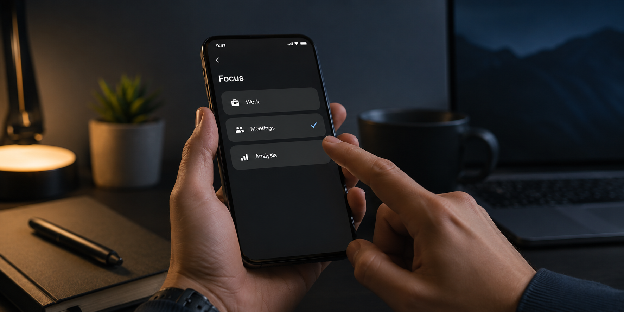
Most users underuse focus mode because they treat it as a simple on/off switch rather than a system. In reality, it functions as attention architecture, shaping how your focus behaves across different tasks. When properly configured, it becomes one of the strongest tools for improving focus using your phone.
From here, the next step is refining how each focus setup is structured for specific types of work so it actually supports real cognitive demands.
Build Multiple Focus Profiles for Work Types
Different tasks demand different mental states because each type of work requires a unique level of focus. Relying on a single generic setup increases cognitive load and reduces overall efficiency across your workflow.
Structuring separate focus profiles improves performance, and the table below breaks down how each one should be configured:
| Work Type | Allowed Apps | Blocked Apps |
|---|---|---|
| Deep writing | Notes, Docs | Social apps |
| Meetings | Calendar, Email | Entertainment apps |
| Analysis | Research tools | Messaging apps |
| Admin tasks | Task manager | Streaming apps |
Eliminate Non-Essential Notifications Completely
Managing notifications still keeps you in a reactive attention loop that constantly interrupts deep thinking. Removing them instead reduces mental alertness overload and significantly improves cognitive clarity throughout your work sessions.
A practical elimination approach is necessary to fully reset your notification system, and the steps below show how to do it effectively:
- Disable all app notifications by default
- Allow only human-triggered alerts
- Turn off badges and previews
- Silence lock screen interruptions
- Audit monthly for new apps
Design Lock Screen for Focus Reinforcement
Your lock screen acts as a repeated behavioral trigger that shapes how you interact with your phone. If it signals distraction, your habits naturally follow that pattern and weaken focus.
However, if it reinforces intention, your attention quality improves, and the setup below shows how to design it effectively:
- Use minimal wallpaper
- Remove widgets that are not essential
- Display a simple focus reminder
- Avoid emotionally stimulating visuals
- Keep the interface visually clean
Hack #4: Apply Digital Minimalism to Your Phone Setup
Digital minimalism is not about deleting everything from your phone. Instead, it is about ensuring every app serves a clear and intentional purpose in your daily workflow. Without this structure, your phone easily becomes a passive distraction machine rather than a productivity tool.
As a result, you need to audit your apps and reduce decision overload by rebuilding your setup with deliberate clarity and intention.
Audit Apps Based on Cognitive Value
Instead of sorting apps by category, you should evaluate them based on cognitive value and focus impact. This approach reshapes how you interact with your device and reduces unnecessary digital clutter.
To make this practical, you need a clear comparison of high-value versus low-value apps, as shown in the table below:
| High Value Apps | Low Value Apps |
|---|---|
| Calendar tools | Random social feeds |
| Note apps | Short-form video apps |
| Task managers | Clickbait news apps |
Reduce Tool Overload
Too many productivity apps create fragmentation instead of clarity in your daily workflow. This overload increases cognitive switching cost, even during tasks that feel productive on the surface.
Building a simpler system becomes essential, and the workflow below shows how to reduce tool overload effectively:
- Choose one task manager only
- Choose one note-taking system
- Choose one calendar tool
- Delete duplicates
- Stick to the system for 30 days
Schedule Intentional Offline Windows
Constant stimulation steadily reduces your ability to maintain sustained focus and mental clarity throughout the day. Offline time restores cognitive balance and strengthens long-term productivity by giving your brain space to reset.
Structuring intentional offline windows becomes essential, so the practices below show how to build them into your routine:
- No phone during meals
- First 30 minutes of the day offline
- One phone-free hour daily
- Walk without devices
- Use analog tools for planning
Hack #5: Rewire Your Phone for Deep Work Identity
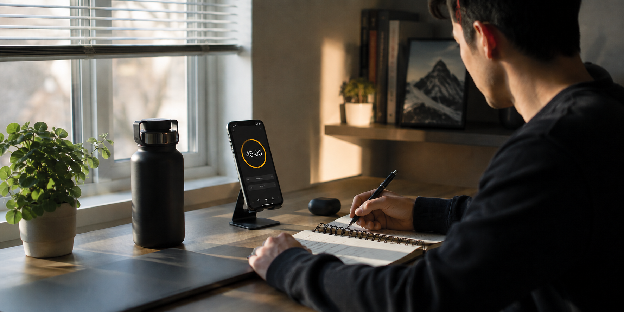
Your brain builds habits through repeated association patterns rather than isolated decisions. So if your phone equals distraction, your behavior will naturally follow that same loop. However, if it equals focus, your productivity starts improving more consistently and stably.
The real shift happens once you intentionally reshape how you use your phone so it reinforces a stronger focus-driven identity in your daily work habits.
Create a Consistent Work Entry Ritual
Rituals reduce friction and create a clear cognitive cue for focus initiation. Consequently, your brain shifts into deep work mode faster and with less resistance, making sustained concentration easier to maintain.
Creating a consistent work entry ritual becomes essential, with the table below outlining the key steps you should follow:
| Ritual Step | Purpose |
|---|---|
| Enable focus mode | Signals work starts |
| Start timer | Creates structure |
| Open one task | Reduces overload |
| Silence phone | Removes interruption risk |
| Deep breath | Calms mental noise |
Delay Rewards Until After Focus Sessions
If you reward yourself during work, you weaken attention control and focus stability. On the other hand, delaying rewards strengthens discipline and reduces distraction loops that pull you out of deep work.
A structured reward system becomes essential, with the workflow below showing how to apply it after focus sessions:
- Complete a full focus session
- Mark completion clearly
- Take a short, intentional break
- Avoid instant digital rewards
- Repeat next session
Track Attention Quality, Not Screen Time
Screen time is misleading because it does not measure focus quality or cognitive output. Instead, you need better indicators that reflect how effectively you maintain attention during real work.
Measuring attention properly requires a structured tracking approach, and the points below show what you should monitor:
- Track uninterrupted work duration
- Measure task completion rates
- Monitor distraction frequency
- Evaluate energy after sessions
- Adjust based on patterns
Summary Table: Psychological Hacks for Deep Work on Your Phone
| Psychological Hack | Core Problem It Solves | Practical Outcome |
|---|---|---|
| Control cognitive switching cost | Constant task jumping and interruptions | Longer, more stable focus periods |
| Reduce dopamine-driven distraction loops | Compulsive checking and scrolling habits | Less urge to unlock your device |
| Optimize focus mode on the phone | Notification overload and reactive behavior | Controlled and predictable focus states |
| Apply digital minimalism | App clutter and decision fatigue | Clearer thinking and faster execution |
| Rewire phone-to-focus association | Habit of using the phone for distraction | Automatic entry into deep work mode |
Conclusion
Using your phone for deep work is less about restriction and more about intentional system design that protects attention. These psychological hacks work together to reduce distractions, stabilize focus, and turn your device into a productivity tool instead of a constant interruption source.
With consistent application, your daily workflow becomes calmer, with fewer reactive checks and longer stretches of sustained concentration. You begin to notice clearer thinking, faster execution, and reduced mental fatigue even during demanding tasks.
Begin by choosing one hack to implement today, such as focus mode or notification control. Small, consistent changes gradually reshape how you interact with your phone and strengthen your focus habits.
FAQs
Can a phone actually improve deep work?
Yes. A phone can support deep work when configured intentionally with focus tools, timers, minimal notifications, and distraction-free settings.
What is the best focus mode on phone setup?
The best setup blocks social media, silences non-essential notifications, and allows only critical work apps during focus sessions.
How do I reduce phone distractions while working?
You can reduce distractions by disabling notifications, removing addictive apps, using grayscale mode, and scheduling communication windows.
Does dopamine detox really help productivity?
A dopamine detox can help reduce compulsive stimulation habits and improve your tolerance for focused, low-distraction work.
What is attention residue?
Attention residue happens when part of your brain stays focused on a previous task after switching to something new, reducing concentration quality.
Are smartphone productivity tips actually effective?
Yes, but only when they reduce friction and support consistent habits instead of adding more complexity to your workflow.
How long should deep work sessions last on a phone?
Most people perform well with sessions lasting between 45 and 90 minutes, depending on task complexity and mental stamina.