
How to Build a Personal Operations Hub: 5 Steps to Complete Mobile Mastery
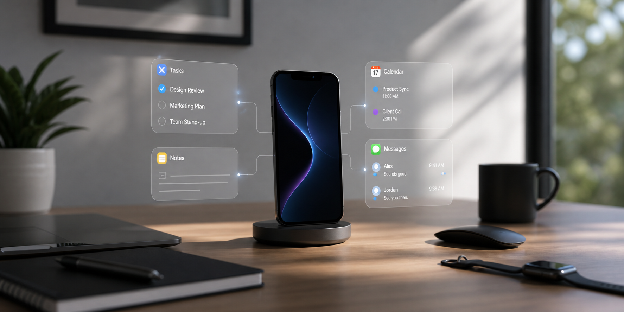
How to Build a Personal Operations Hub: 5 Steps to Complete Mobile Mastery
Most people treat their phone like a junk drawer, then wonder why their focus collapses daily. To build a personal operations hub, you need a structured, mobile-first system that centralizes tasks, information, and workflows into one streamlined interface. In short, you turn your phone into a command center that drives execution, reduces friction, and eliminates decision fatigue.
But here’s the problem. Most setups fail because they prioritize tools over structure. You don’t need more apps. You need a system that holds up under pressure and real-life chaos. Without that, even the best tools become noise.
This guide shows you how to fix that. You’ll define a personal productivity system, organize your phone for productivity, build a digital organization system, and optimize your mobile workflow. By the end, you’ll have a clear, practical path to complete mobile mastery.
Key Takeaways
- Task centralization: A single task system removes fragmentation, reduces mental load, and keeps priorities clear.
- Communication control: Limiting platforms and batching messages protects focus and improves decision quality.
- Information structure: A clear note system makes retrieval fast and ensures captured knowledge is actually usable.
- Automation of repetition: Automating routine tasks reduces cognitive strain and saves time on low-value work.
- Digital minimalism: A simplified phone setup reduces distractions and supports faster, more focused execution.
Step 1: Centralize Your Tasks into a Mobile Productivity Workflow
A scattered task system creates friction, missed deadlines, and mental overload in your daily work. To fix this, you need a mobile productivity workflow that works as your single execution engine. As a result, every task, idea, and commitment flows into one place for immediate action.
The sections below will show you how to structure your system and turn it into a daily execution routine.
Build a Single Task Management System
You cannot afford to manage tasks across multiple apps or scattered mental lists. Instead, you need a unified system that creates clarity and strengthens your time management on mobile devices. When everything lives in one place, execution becomes more predictable, more reliable, and significantly easier to control.
To make this practical, the list below outlines the core elements that keep your system stable and usable:
- One primary task manager for all responsibilities
- Clear categories (work, personal, urgent)
- Priority tagging or ranking system
- Daily and weekly review routines
- Calendar integration for deadlines
If tasks live in multiple places, you are not managing them; you are reacting.
Create a Daily Execution Workflow
A strong system does not just store tasks; it actively guides your next action. In fact, it tells you what to do next without hesitation. This directly reduces decision fatigue and improves overall consistency in execution.
From there, follow the workflow below to turn planning into structured daily execution:
- Review your task list each morning
- Identify your top three priorities
- Schedule time blocks for critical tasks
- Execute tasks in order of importance
- Review and adjust at the end of the day
Consistent execution beats perfect planning every single time.

Step 2: Streamline Communication for Work-from-Phone Efficiency
Communication is where most productivity systems break down in real-world use. Without structure, your phone quickly becomes reactive, distracting, and hard to control. That is why applying work-from-phone efficiency tips helps you regain control and protect your focus.
The following sections will show you how to consolidate your channels and build intentional communication windows.
Consolidate Your Communication Channels
Too many platforms create noise and slow down decision-making in your daily workflow. Because of this, consolidation improves clarity and reduces unnecessary context switching.
Use the checklist below to simplify your communication stack:
- Limit communication to 2 to 3 core platforms
- Disable redundant notifications
- Use filters and labels for organization
- Separate work and personal communication if needed
- Set clear expectations for response times
Every extra platform increases cognitive load and reduces response quality.
Implement Scheduled Communication Blocks
Constantly checking messages destroys deep work and breaks your focus throughout the day. However, structured communication windows help you stay responsive without losing control of your attention.
Now, apply the workflow below to see how to control when and how you engage:
- Set fixed times to check messages and email
- Batch responses instead of replying instantly
- Prioritize urgent communication first
- Defer non-critical messages
- Close apps after each session
Attention improves when communication happens on your schedule, not others’.
Step 3: Organize Information with a Digital Organization System
Information without structure quickly turns into noise in your daily workflow. Therefore, a strong digital organization system ensures everything you capture stays accessible, useful, and actionable when needed.
The next sections break down how to structure your notes and maintain a consistent capture process.
Build a Structured Note-Taking System
Your notes should support decision-making, not slow down your workflow. In practice, a clear structure makes retrieval fast and effortless. This directly improves how quickly you access key information when needed.
Below is an effective note organization structure for better clarity and speed:
| Category | Purpose | Example Content |
|---|---|---|
| Projects | Active work items | Plans, outlines |
| Knowledge | Long-term reference | Research, guides |
| Ideas | Creative thinking | Brainstorms, concepts |
| Archive | Completed material | Old notes |
Retrieval speed determines whether your notes are useful or ignored.
Maintain a Consistent Capture and Review Process
Capturing information is only half the job in a digital organization system. Still, processing it ensures your system stays clean, structured, and functional over time.
With this in mind, follow the steps below to keep your digital environment reliable and usable:
- Capture ideas immediately using one tool
- Store everything in a central inbox
- Process inputs daily
- Convert actionable items into tasks
- Archive or categorize the rest
An unprocessed inbox quickly becomes digital clutter, not clarity.
Step 4: Automate Repetitive Actions for a Minimalist Productivity System
Repetition wastes time and drains your energy in any mobile productivity workflow. For that reason, automation transforms your setup into a minimalist productivity system that reduces manual effort and improves consistency.
The sections below will help you identify what to automate and how to build simple, reliable automations.
Identify Tasks Worth Automating
Not everything should be automated in your mobile productivity workflow. The better approach is to focus only on actions you repeat frequently and consistently. This prevents unnecessary complexity while improving overall efficiency.
To guide you further, use the list below to identify high-impact automation opportunities:
- Daily routines (morning and evening)
- Frequent app sequences
- Reminder creation and scheduling
- Data syncing across apps
- Location-based triggers
Automation delivers value only when applied to repetitive, predictable patterns.
Build Simple Mobile Automations
Complex automations often fail because they are hard to maintain in real daily use. Consequently, simple systems are more reliable and easier to scale across your mobile productivity workflow. This approach keeps your setup stable while supporting long-term efficiency.
The workflow below ensures your automations stay practical and usable:
- Identify one repetitive task
- Create a shortcut or rule
- Test it in real use
- Refine for speed and reliability
- Expand gradually
Simple automations are consistently maintained and outperform complex systems.
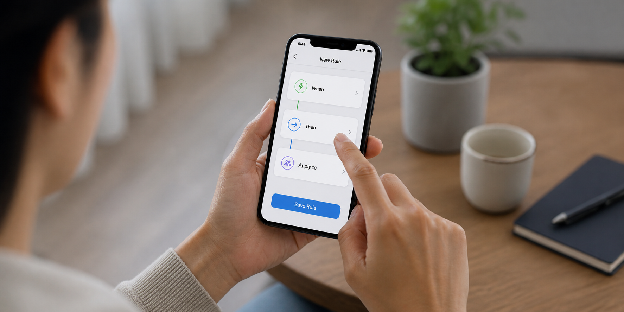
Step 5: Reduce Friction with Digital Minimalism for Professionals
Your system should reduce effort, not increase it. Digital minimalism for professionals focuses on eliminating distractions and simplifying your mobile environment.
The next sections will guide you in designing a clean interface and maintaining it over time.
Design a Minimalist Phone Interface
A cluttered interface increases cognitive load and slows down your daily execution. In contrast, a clean setup improves focus and speed throughout your workflow. Together, these ideas shape how you design an interface that supports action over distraction.
Below are the minimalist interface principles you should apply:
- Keep only essential apps on your home screen
- Remove visual clutter and distractions
- Use widgets sparingly
- Prioritize fast navigation
- Regularly remove unused apps
Every visual element should serve execution, not distraction.
Apply Ongoing System Maintenance
Even the best system will degrade without consistent maintenance and refinement over time. For this reason, regular updates keep your setup effective and aligned with your mobile productivity workflow.
To keep performance steady, use the schedule below for long-term system maintenance:
| Frequency | Action | Purpose |
|---|---|---|
| Daily | Review tasks and inputs | Stay aligned |
| Weekly | Clean apps and notes | Reduce clutter |
| Monthly | Evaluate tools and workflows | Optimize performance |
| Quarterly | Reset and simplify | Prevent system overload |
Maintenance is what separates temporary setups from lasting systems.
Summary Table: Blueprint to Build a Personal Operations Hub
| Component | Key Focus | Outcome |
|---|---|---|
| Core workflows | Define actions and flows | Clarity and consistency |
| App selection | Minimal essential tools | Reduced friction |
| Phone organization | Clean interface | Faster decision-making |
| Distraction control | Limit interruptions | Better focus |
| Automation | Reduce repetitive tasks | Time savings |
| Capture system | Fast input collection | No lost ideas |
| Information structure | Simple categorization | Easy retrieval |
Conclusion
When you build a personal operations hub, your phone stops competing for your attention and starts directing it with clarity. You move from scattered reactions to structured execution that feels deliberate and controlled.
This shift is less about tools and more about how you think about daily work. You begin to treat your device as a system that supports outcomes, not a stream of interruptions.
Your next step is simple: pick one part of your mobile setup today and restructure it around a single, repeatable workflow.
FAQs
What is a personal operations hub?
A personal operations hub is a centralized mobile system that manages tasks, communication, and information to improve productivity and execution.
How do I start building a personal productivity system?
Start by identifying your daily workflows, then choose a few core apps that support those processes efficiently.
What are the best apps for personal workflow management?
The best apps depend on your needs, but typically include a task manager, notes app, calendar, and automation tool.
How can I organize my phone for productivity?
Use a minimalist home screen, logical app grouping, and remove unnecessary apps to reduce distractions and improve speed.
Why is my mobile productivity setup not working?
It likely lacks structure, has too many apps, or does not align with your actual workflows.
How many apps should I use in a productivity system?
Ideally, keep it between 4 and 6 core apps to minimize complexity and maximize efficiency.
How do I maintain a digital organization system long-term?
Review your system daily, remove unused tools, and continuously refine workflows based on real usage.